Three tools, three jobs
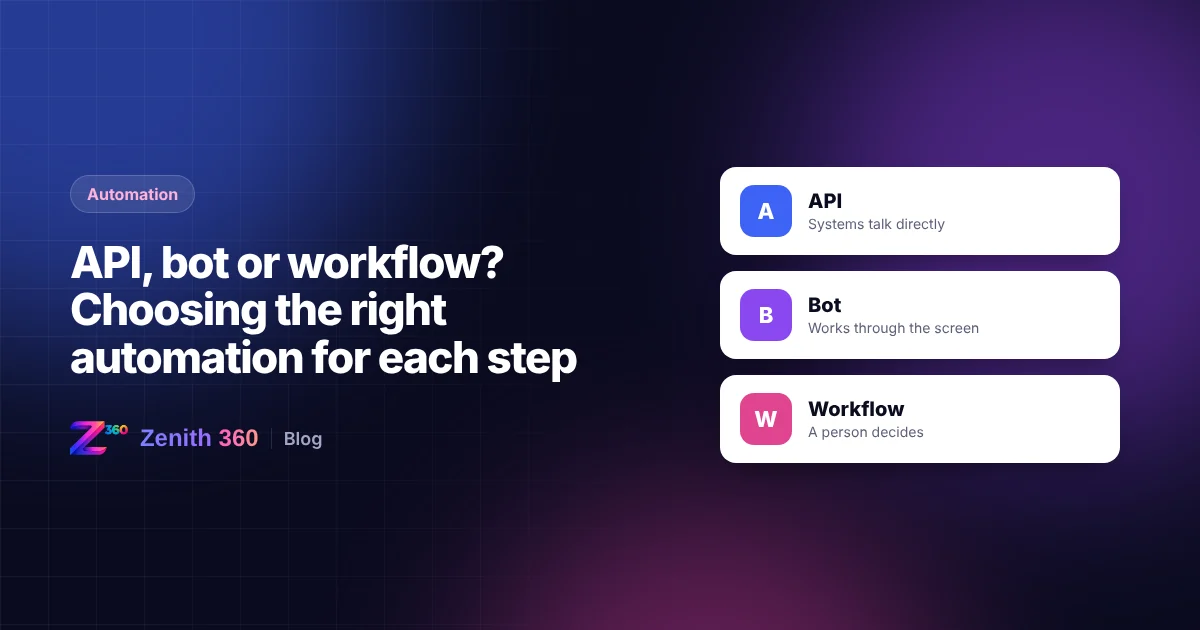
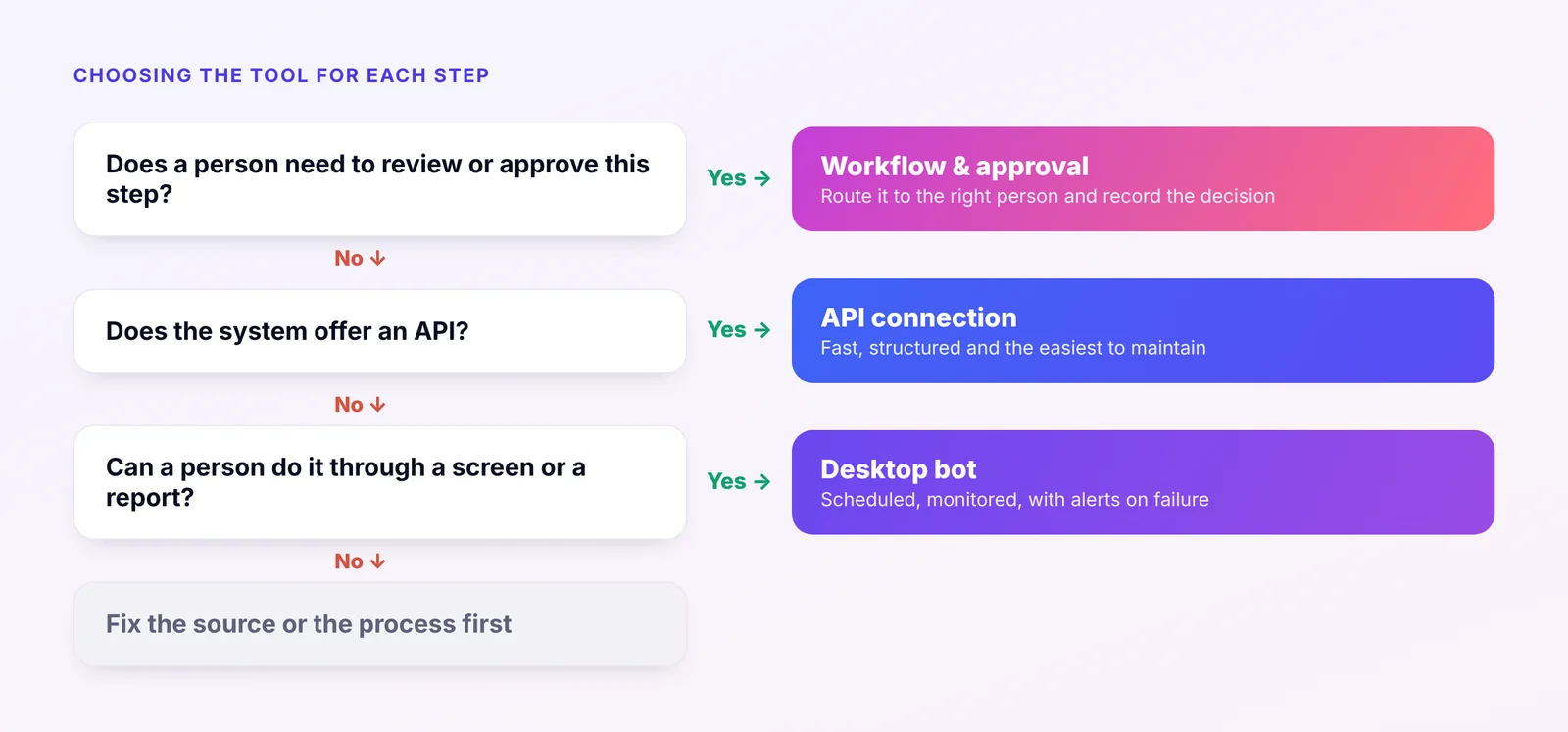
"Automation" covers three quite different techniques. Each suits a different kind of step, and most real processes need more than one.
| Method | What it does | Best for | Watch out for |
|---|---|---|---|
| API connection | Systems exchange data directly, in a structured format | Moving data between systems that offer an API, such as Zoho, SAP and most banks | API limits, and changes when a vendor updates its API |
| Desktop bot | Software works through a screen as a person would: signing in, clicking, exporting and uploading | Systems with no API, such as many hospital, plant and older accounting systems | Screen changes can break a bot, so it needs monitoring |
| Workflow and approvals | Routes work to a person to review, approve or fix, and records what they did | Steps that need judgement or sign-off, such as payment approval | Too many approval steps slow the process down |
Use an API when the system offers one
An API is the most reliable way to move data. It is fast, it returns structured data, and it does not break when someone rearranges a screen. Zoho and SAP both offer APIs, Tally can be reached through its data interface, and many banks provide integrations for statements and payments.
When an API exists, use it. It is almost always the cheapest option to maintain.
Use a desktop bot when there is no API
Many systems that businesses depend on were never built to share data. A hospital information system, an older plant system or a government portal may offer nothing more than a login screen and a download button.
A desktop bot fills that gap. It signs in on a schedule, exports the report a person would have downloaded, and saves it for the next step. Bots work well, provided a few rules are followed:
- Monitor every run. If a screen changes and the bot fails, someone should know within minutes, not at month-end.
- Store sign-in details securely, never in a spreadsheet or inside the bot itself.
- Keep human security steps human. Where a bank or portal asks for an OTP or a captcha, a person completes it. In our payment approval project, the maker uploads the bank file and authorises it with an OTP.
Use a workflow when a person must decide
Some steps should not be automated away, because they need a decision: approving a payment list, accepting a changed bank account, or reviewing an unusual entry. A workflow puts that decision in front of the right person, with the information they need, and records what they decided.
Most processes combine all three
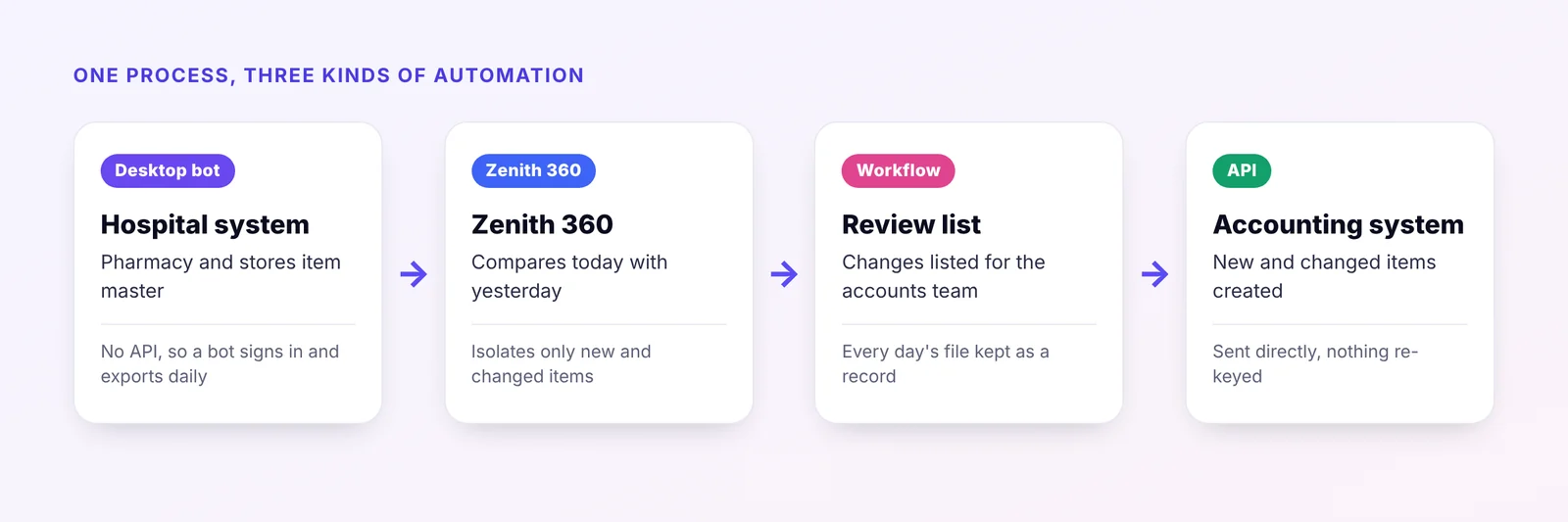
Our work for a specialty hospital is a good example. The hospital's pharmacy and stores ran on a hospital information system with no API, and its item master had to stay in step with the accounts.
- A desktop bot signs in to the hospital system every day and exports the full item master, because there is no API.
- Zenith 360 compares the export with the previous day's and isolates only the new and changed items.
- A review step lists the changes for the accounts team, with every day's file kept as a record.
- An API connection sends the new and changed items into the accounting system.
Read the full hospital item master case study.
Questions to ask before building
- Does each system involved offer an API, or only a screen?
- How often do those screens or reports change?
- Which steps need a person to decide or approve?
- What should happen when a step fails, and who should be told?
- Where will the record of each run be kept?
How Zenith 360 fits
Zenith 360 is the routing layer between your systems. It uses APIs where they exist, desktop bots where they do not, and approval workflows where a person needs to decide, then presents the result for MIS or control. To decide which steps in your own processes to automate first, read what to automate first, or talk to us.

Aniruddha has spent more than ten years in finance, tax and business systems for Indian companies, and founded Z360 Systems to automate the work finance teams still do by hand. More about Aniruddha