What GSTR-2B is
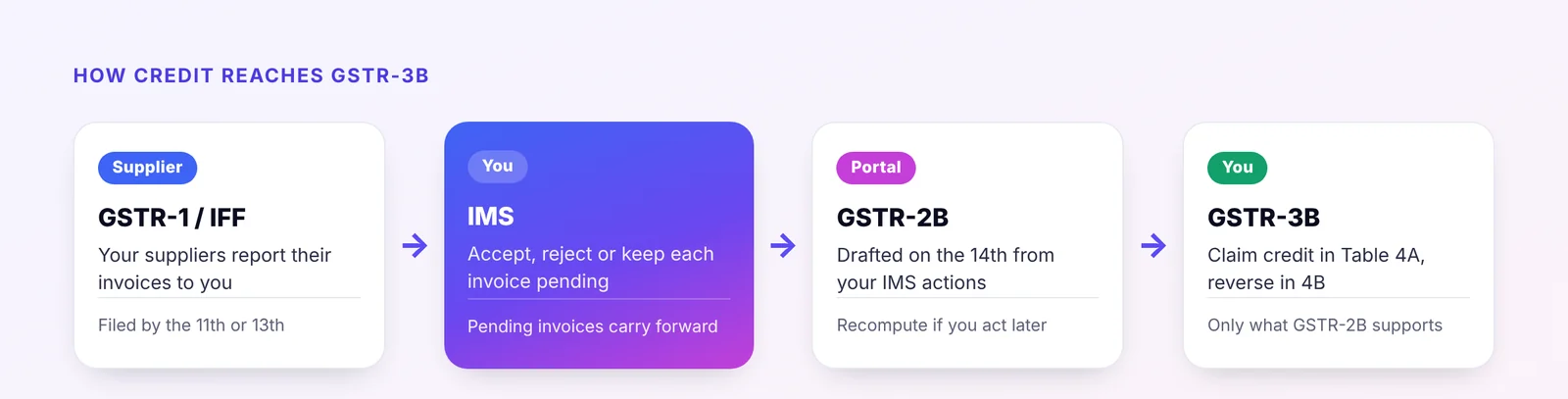
GSTR-2B is the monthly statement of input tax credit (ITC) that the GST portal prepares for every regular taxpayer. It is built from what your suppliers report in their own returns and statements, mainly GSTR-1 and IFF, along with GSTR-5, GSTR-6 and import data from ICEGATE.
Since the Invoice Management System (IMS) was introduced (GSTN FAQs), supplier invoices first appear in IMS. There you can accept, reject or keep each one pending. GSTR-2B for the month is then drafted on the 14th of the following month, reflecting the actions you have taken. If you act on invoices after that date, you can recompute GSTR-2B before filing GSTR-3B.
Key point Pending invoices stay out of the current month's GSTR-2B and carry forward until you act on them. Rejected invoices do not give you credit. Invoices you take no action on are treated as accepted.
Why the reconciliation matters
Under Section 16(2)(aa) of the CGST Act, you can claim ITC on an invoice only if the supplier has reported it and it appears in your GSTR-2B. Claiming credit in GSTR-3B that GSTR-2B does not support has real consequences:
- A difference between ITC claimed in GSTR-3B and ITC available in GSTR-2B beyond the permitted limit can trigger an intimation in Form DRC-01C, which you must explain or pay.
- Credit missed in one month is not lost straight away, but it must be claimed within the time limit in Section 16(4): by 30 November following the end of the financial year, or the date of filing the annual return, whichever is earlier.
- Unmatched invoices often point to real problems: a supplier who has not filed, a wrong GSTIN, a duplicate bill or an invoice that was never received.
What you need before you start
- GSTR-2B for the month, downloaded from the portal in Excel or JSON. Download it after the 14th, and again if you recompute it.
- Your purchase register for the same month, with supplier GSTIN, invoice number, invoice date, document type, taxable value and IGST, CGST, SGST and cess.
- Credit and debit notes from suppliers, which must be matched separately from invoices.
- Last month's pending list, so that invoices carried forward are not forgotten.
Step-by-step matching
- Clean the invoice numbers on both sides. Remove spaces, slashes, hyphens and leading zeros, and use one case. "INV/0921" and "inv-921" should become the same key.
- Match on supplier GSTIN plus cleaned invoice number. This pair identifies an invoice uniquely and is far more reliable than matching on amount.
- Compare the values. For each matched pair, compare invoice date, taxable value and each tax head. Allow a small rounding tolerance so that differences of a rupee or two do not clog your exception list.
- Find what is left on each side. Invoices in your books with no match in GSTR-2B, and invoices in GSTR-2B with no match in your books, are the two lists that need action.
- Check eligibility. A matched invoice can still be ineligible: blocked credits under Section 17(5), wrong place of supply, or a supplier whose registration was cancelled.
- Record the outcome against each invoice, so next month starts from a clean pending list.
Sorting the results
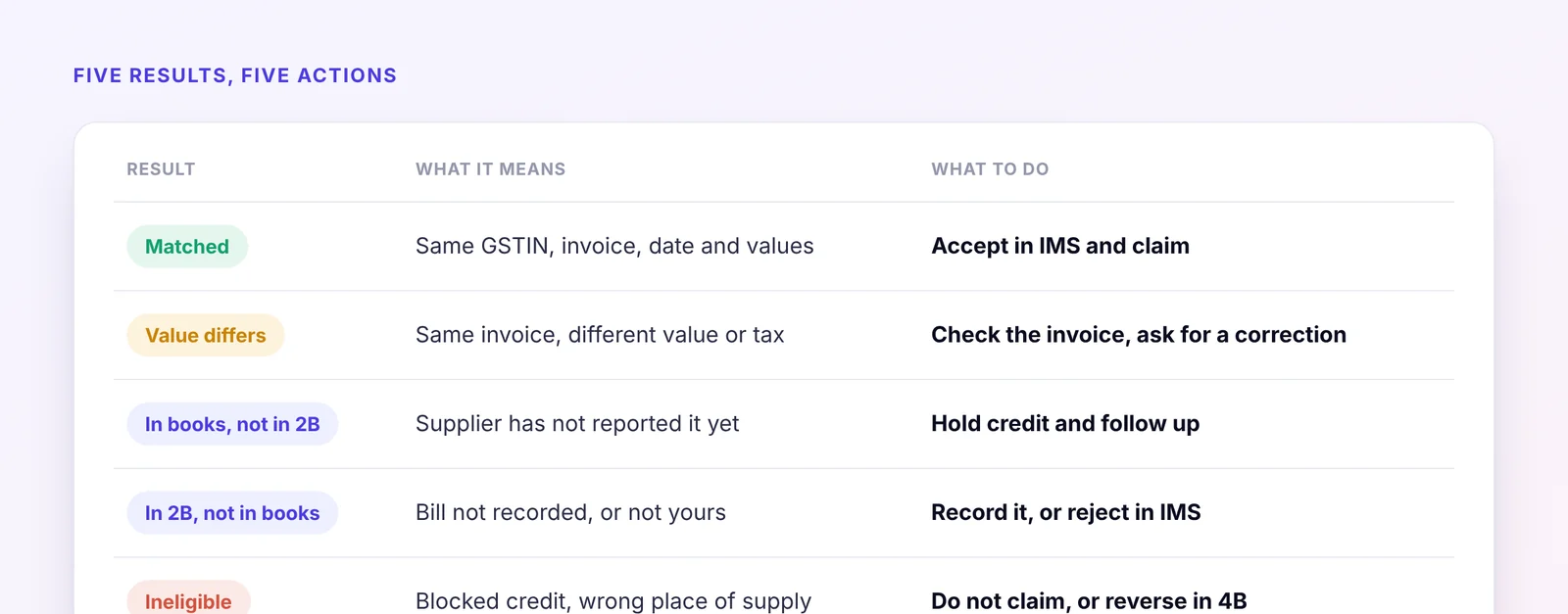
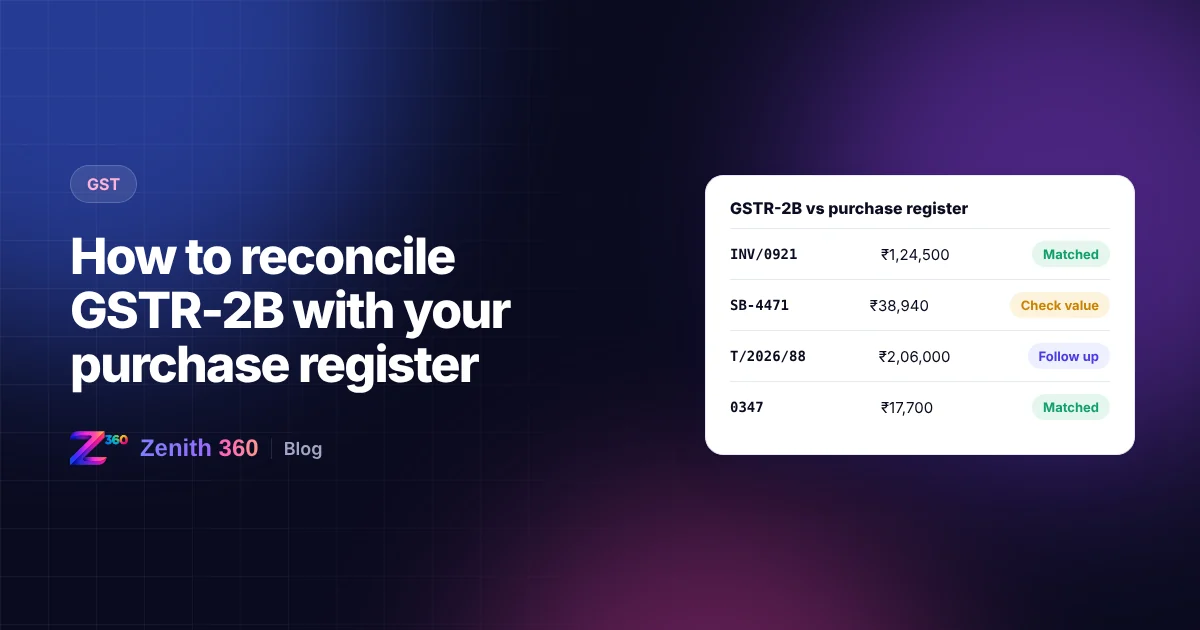
| Category | What it means | What to do |
|---|---|---|
| Matched | Same GSTIN, invoice, date and values within tolerance | Accept in IMS and claim in GSTR-3B |
| Value differs | Same invoice, different taxable value or tax | Check the original invoice. Ask the supplier to amend, or correct your books |
| In books, not in GSTR-2B | Supplier has not reported it yet, or reported it under a different number or GSTIN | Hold the credit and follow up with the supplier |
| In GSTR-2B, not in books | Bill not yet recorded, never received, or not meant for you | Record it if genuine. Reject in IMS if it is not yours |
| Ineligible | Blocked credit, wrong place of supply, cancelled supplier | Do not claim, or reverse in GSTR-3B Table 4B |
Acting on the results in IMS
The reconciliation tells you what to do in IMS before GSTR-2B is finalised:
- Accept invoices that match your books and are eligible.
- Reject invoices that are wrong or not meant for you, so the supplier has to correct them.
- Keep pending invoices you cannot yet confirm, for example where the goods have not arrived. They will not enter this month's GSTR-2B.
- Follow up with suppliers whose invoices are in your books but missing from IMS. Send them the invoice number, date and amount, and ask them to report it in their next GSTR-1 or IFF.
Claiming the credit in GSTR-3B
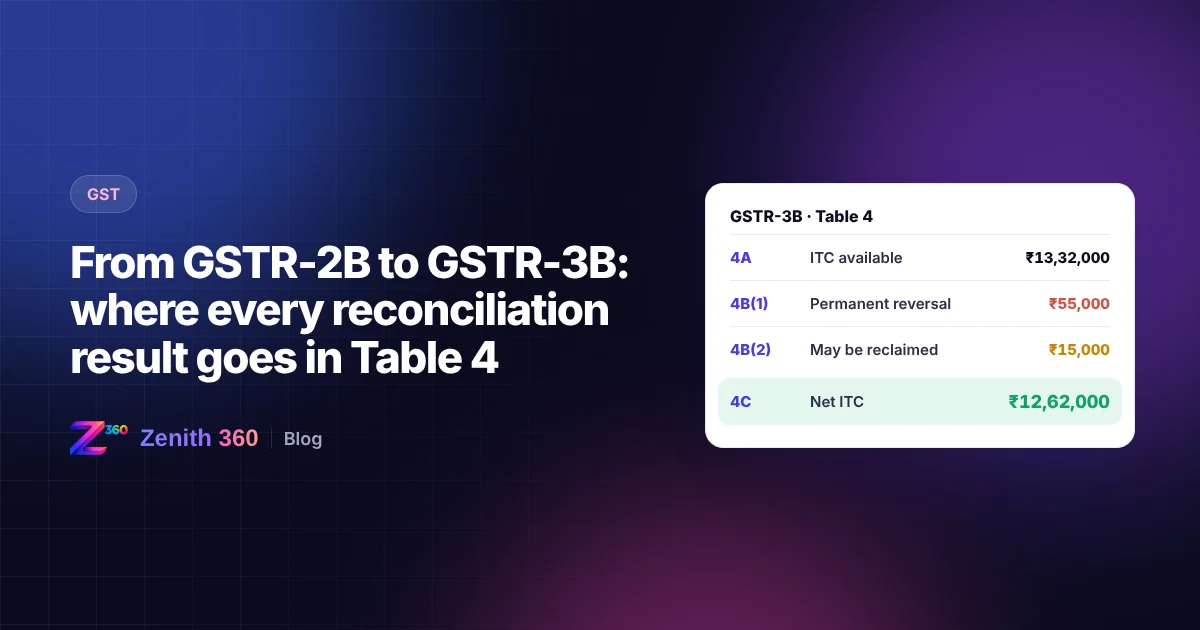
Claim ITC in Table 4A of GSTR-3B in line with GSTR-2B, and report reversals and ineligible credit in Table 4B. Keep a running register of credit you have deferred because the supplier had not reported the invoice. Claim it in the month it appears in GSTR-2B, and well before the Section 16(4) deadline.
For a row-by-row guide to Table 4, including 4B(1), 4B(2), 4D(1), reverse charge and ISD credit, read from GSTR-2B to GSTR-3B: where every reconciliation result goes.
A monthly checklist
- Purchase register closed for the month
- IMS reviewed before the 14th
- GSTR-2B downloaded or recomputed
- Matching run and exceptions reviewed
- Supplier follow-ups sent
- Deferred credit register updated
Official sources and further reading
- GSTR-2B FAQs: GST portal help, including how GSTR-2B maps to GSTR-3B
- FAQs on the Invoice Management System: GSTN
- Handling inadvertently rejected records on IMS: GSTN advisory, June 2025, via TaxGuru
- GST portal: download GSTR-2B and act on IMS
Automating the reconciliation
Done by hand in Excel, this takes hours every month, and longer for businesses with hundreds of suppliers. Zenith360 GST downloads GSTR-2B, cleans and matches invoice numbers automatically, sorts every invoice into the categories above and prepares supplier follow-ups. Your team only reviews the exceptions.
If your purchase data sits in SAP or Tally, Zenith 360 can extract it and prepare it for reconciliation automatically, as in our SAP GST data case study.
This article is general information based on the law and portal behaviour as at the date of publishing. Rules and portal features change, so check the current position on the GST portal and in the law, or speak to your tax adviser, before acting.

Aniruddha has spent more than ten years in finance, tax and business systems for Indian companies, and founded Z360 Systems to automate the work finance teams still do by hand. More about Aniruddha