What e-invoicing is
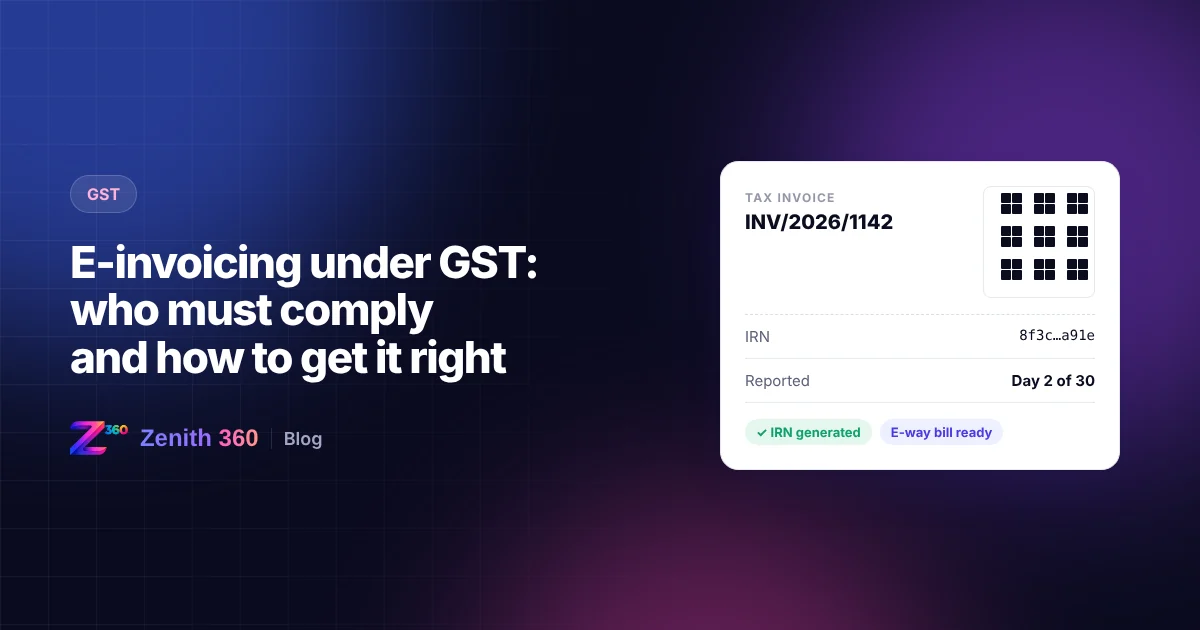
Under GST e-invoicing, a business does not create its invoice on the government portal. It creates the invoice in its own accounting system or ERP as usual, then reports it to an Invoice Registration Portal (IRP). The IRP checks the data, assigns a unique Invoice Reference Number (IRN), digitally signs the invoice and returns a signed QR code.
Only an invoice that carries a valid IRN counts as a valid tax invoice for a business that is required to e-invoice. The registered data then flows automatically into the supplier's GSTR-1 and, where transport details are given, into Part A of the e-way bill.
Who has to e-invoice
E-invoicing is mandatory for registered businesses whose aggregate annual turnover (AATO) has exceeded ₹5 crore in any financial year from 2017-18 onwards. This threshold has applied since 1 August 2023.
Two points are often missed:
- Aggregate turnover is calculated at PAN level. It covers all GSTINs registered under the same PAN, across every state. A branch with modest sales still has to e-invoice if the PAN as a whole has crossed the threshold.
- Once you cross the threshold in any year, you stay covered. Turnover falling below ₹5 crore later does not take you out of e-invoicing.
Certain categories are exempt from e-invoicing whatever their turnover. These include, for example, banks, insurers and NBFCs, goods transport agencies, passenger transport services, cinema admission services, SEZ units, and government departments and local authorities. Check the current exemption list against your own registration before relying on it.
Which documents are covered
E-invoicing applies to business-to-business (B2B) supplies, exports, supplies to SEZs and deemed exports. It covers three types of document:
- tax invoices
- credit notes
- debit notes
Supplies to consumers (B2C) are outside the IRN system. Large businesses with AATO above ₹500 crore must, however, print a dynamic QR code on their B2C invoices.
The 30-day reporting limit
From 1 April 2025, businesses with AATO of ₹10 crore or more must report invoices, credit notes and debit notes to the IRP within 30 days of the document date. Before that date, the limit applied only to businesses with AATO of ₹100 crore or more.
Key point The IRP rejects a document that is reported after 30 days, and an IRN cannot be generated for it afterwards. For a business that must e-invoice, a document without an IRN is not a valid tax invoice, and the buyer's input tax credit is put at risk.
The usual causes of late reporting are practical ones: invoices raised offline at a branch, credit notes passed weeks after a dispute is settled, or an ERP integration that silently fails. Each needs a control, not just a reminder.
How the process works
- Create the invoice in your ERP or accounting system, with the buyer's GSTIN, HSN codes, values and tax.
- Send the invoice data to an IRP, either directly through an API integration or by uploading a JSON file. More than one IRP is available.
- The IRP validates the data. It checks the GSTINs, the format and whether the document has already been reported.
- The IRP returns the IRN and signed QR code, which you print on the invoice you send to the buyer.
- The details flow to GSTR-1 and, with transport details, to the e-way bill.
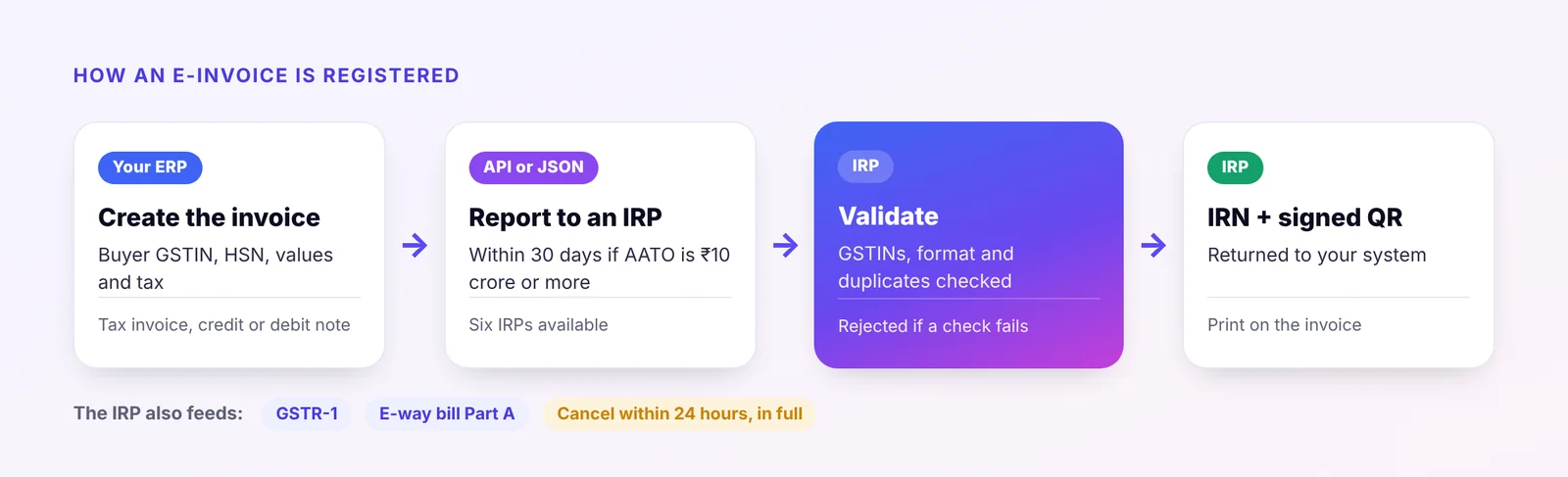
An IRN can be cancelled on the IRP only within 24 hours of generation, and only in full. After that, corrections are made through a credit or debit note, or by amending the details in GSTR-1.
E-invoicing for reverse charge (RCM) self-invoices
Until now, e-invoicing has covered only documents issued by the supplier. In October 2026 GSTN announced (Advisory No. 678, 16 October 2026) that the e-invoice system can now accept self-invoices raised by the recipient for purchases on which the recipient pays tax under reverse charge.
Two new supply types have been added to the e-invoice schema:
| Supply type | Covers | Who reports it |
|---|---|---|
| RCMDOM | Specified domestic supplies received from unregistered persons, where the recipient pays tax under RCM | The registered recipient, on its own self-invoice |
| RCMIMP | Import of services from a supplier outside India, where the recipient pays tax under RCM | The registered recipient, on its own self-invoice |
The recipient raises the self-invoice in its own ERP, selects RCMDOM or RCMIMP, and reports it to an IRP in the usual way. After validation the IRP issues an IRN for the self-invoice. The supplier is shown as unregistered, or for RCMIMP as located outside India, and no e-way bill is generated for these documents. The tax payable under RCM does not change; what changes is how the self-invoice is documented.
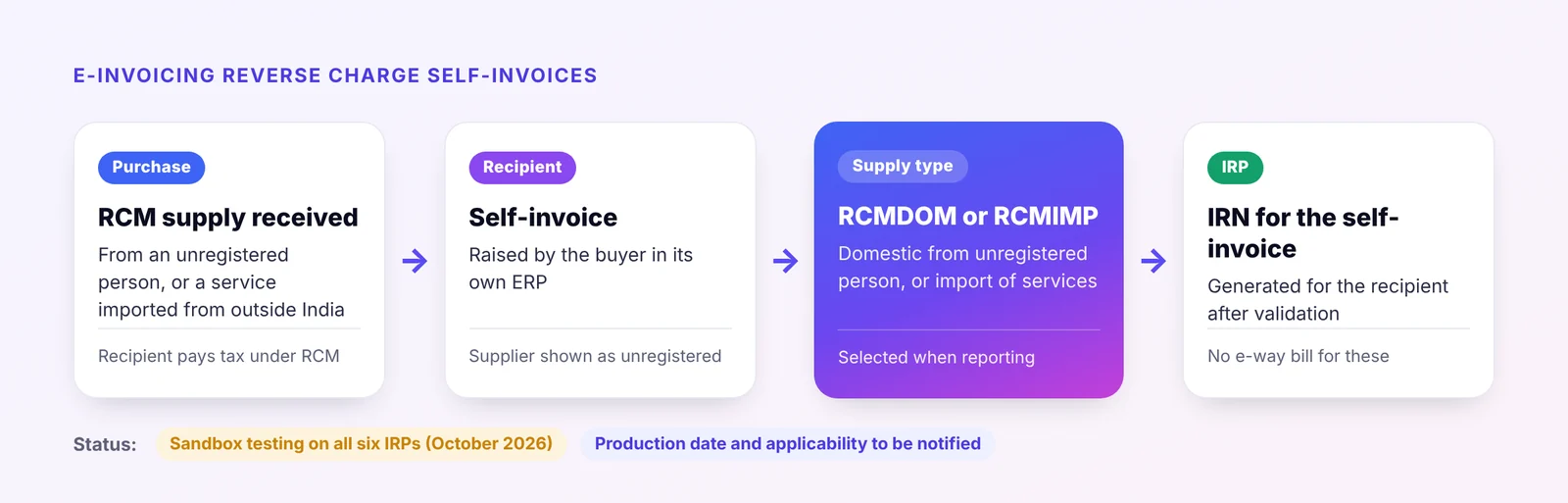
Where it stands As of October 2026 the facility is available for testing only, in the sandbox of all six IRPs. GSTN has said the production date, the detailed technical guidelines and the scope of applicability will be announced separately. It is aimed at businesses already covered by e-invoicing (AATO of ₹5 crore or more), but reporting RCM self-invoices is not yet compulsory. Watch for a notification before treating it as an obligation.
Questions still open include how these self-invoices will flow into GSTR-1, GSTR-2B and GSTR-3B, and whether an IRN will become a condition for the recipient's input tax credit on reverse charge purchases. Until that is clarified, continue paying RCM tax and claiming credit as you do now.
What you can do now:
- Identify your RCM self-invoices. List purchases from unregistered persons that attract RCM and services imported from abroad, by GSTIN.
- Check your self-invoice series. Self-invoices need their own numbering, kept separate from sales invoices, so they do not trigger duplicate IRN errors later.
- Ask your ERP or GST software provider when they will support RCMDOM and RCMIMP, and test in the sandbox once they do.
- Fix the data first. Unregistered supplier details, HSN or SAC codes and place of supply are often incomplete on RCM purchases.
Common errors and how to avoid them
| Problem | What causes it | How to prevent it |
|---|---|---|
| Duplicate IRN request | The same invoice number is reported twice | Keep one invoice series per GSTIN per year, and block reuse in the ERP |
| Invalid buyer GSTIN | Customer master holds an old or mistyped GSTIN | Validate GSTINs when a customer is created or changed |
| Report rejected after 30 days | Invoice or credit note raised late or reported late | Run a daily list of documents without an IRN, by age |
| Wrong HSN or tax rate | Item master not maintained | Review HSN codes and rates in the item master, not on each invoice |
| Invoice issued without QR code | Printing template not updated | Lock the template so an invoice cannot print without the IRN and QR |
A short checklist for finance teams
- Confirm your AATO at PAN level for every year since 2017-18
- Check whether the 30-day limit applies to you (AATO of ₹10 crore or more)
- Make sure every branch and billing location reports through the same process
- Review a daily exception list of documents without an IRN
- Reconcile e-invoices with GSTR-1 before filing each month
- List your reverse charge self-invoices and track when RCM e-invoicing goes live
Official sources and further reading
- E-invoice portal (NIC IRP): the government's invoice registration portal, with advisories and the sandbox
- CBIC lowers the e-invoicing threshold to ₹5 crore from 1 August 2023: EY
- E-invoicing for RCM self-invoices: a capability, not yet an obligation: TaxGuru
- GSTN enables sandbox testing for RCM self-invoices: TaxGuru
How Zenith 360 helps
Zenith360 GST generates e-invoices and e-way bills from your sales data and tracks every document against the 30-day limit. If your invoices are raised in SAP or Tally, Zenith 360 can extract the data, separate it by GSTIN and route it for e-invoicing automatically. See how we did this in our SAP GST data case study.
This article is general information based on the law and portal behaviour as at the date of publishing. Rules and portal features change, so check the current position on the GST portal and in the law, or speak to your tax adviser, before acting.

Aniruddha has spent more than ten years in finance, tax and business systems for Indian companies, and founded Z360 Systems to automate the work finance teams still do by hand. More about Aniruddha